
Many people know the names “Bluetooth®” and WiFi®. They are not always sure how the two wireless technologies differ or which to use. Quick answer: WiFi is best for internet access, streaming, and high-bandwidth tasks at home or on a network. Bluetooth is for short-range, low-power links between devices (for example, headphones, keyboards, and phones).
What you’ll learn: clear, practical comparisons of Bluetooth vs WiFi – including range, power, common uses, and quick fixes for connection and interference problems. Jump to: Differences | Applications | Interference | Conclusion
Bluetooth vs WiFi : Similarities, Differences and It’s Application
Although some people still use wired headphones, most prefer a Bluetooth® headset. A wireless headset avoids tangled cords. It also helps you keep a safe, hands-free connection while driving or moving around the home.
Similarities, Differences: Bluetooth Vs WiFi
Bluetooth Vs WiFi are wireless technologies that send data over radio waves. Many versions of both use the 2.4 GHz frequency band. Still, they are built for different jobs. Bluetooth focuses on short range and low power. WiFi focuses on higher speed and wider coverage for networks and the internet.
How they form networks:
- Bluetooth usually makes a Personal Area Network (PAN) or piconet for nearby devices. Think headphones, keyboards, and simple file transfers between two devices. Common Class 2 Bluetooth devices cover about 10 meters (roughly 33 feet). Class 1 hardware can go farther in ideal conditions.
- WiFi builds a Wireless Local Area Network (WLAN). It links many devices to a router and to the internet. Indoor WiFi range depends on the router and the environment. It commonly covers tens of meters (dozens to a few hundred feet). WiFi also supports much higher data rates than Bluetooth.
Typical speeds (estimates): Bluetooth data rates vary by version and profile and are fine for audio and telemetry. WiFi standards (802.11n/ac/ax) offer much higher rates and wider channels. That makes WiFi the common choice for streaming video (including 4K), large file transfer, cloud backups, and multi-device work on a home network.
Practical summary: use Bluetooth for low-power links and audio to headphones or nearby devices. Use WiFi when you need internet access, more bandwidth, or many simultaneous connections. Each has trade-offs in range, speed, power use, and the number of devices it can support. Knowing the differences helps you pick the right connection for each device and task.
Bluetooth Applications
Bluetooth powers many devices beyond just headphones. It is common in consumer products, business tools, medical gear, and industrial systems. People pick Bluetooth because it uses little power, connects nearby devices quickly, and keeps device costs low.
Common examples:
- Audio and peripherals: Wireless headphones, earbuds, speakers, keyboards, and mice use Bluetooth for cable-free audio and input. Example: a pair of Bluetooth headphones streams music from your phone. Tip: check codec support (aptX, AAC) for better audio and lower latency.
- Mobile and wearables: Fitness trackers and smartwatches send health data to your phone using Bluetooth. Example: your tracker uploads step counts and heart-rate data to a phone app while saving battery life.
- Retail and inventory: Mobile barcode scanners and handheld devices transfer scan data to a nearby tablet or computer via Bluetooth. Example: inventory updates sync instantly at the checkout or stock room.
- Healthcare: Patient monitors and wireless medical devices can link to local workstations over Bluetooth. Example: a barcode-enabled wristband updates patient records. Note: these uses must follow security and compliance rules (for example, HIPAA) when sending sensitive information.
- Smart home and IoT: Sensors, smart locks, light controllers, and other smart devices often use Bluetooth Low Energy for local control. Example: a door sensor reports status to your phone without draining batteries.
Why choose Bluetooth? It balances battery life and efficiency for single-device links. Bluetooth pairing is usually simple. It suits audio, small data transfers, and telemetry. However, Bluetooth has lower data rates than WiFi. For big file transfer, cloud backups, or high-resolution video streaming, WiFi’s higher bandwidth is a better fit.
Technical notes: Bluetooth data rates vary by version and profile. Newer versions (for example, Bluetooth 5) improved range and data rate, but they still lag typical WiFi speeds. If you need help, see guides on how to pair Bluetooth devices and on choosing the best Bluetooth headphones and other Bluetooth devices for your use.
Wireless Device Communication Problems
Bluetooth Vs WiFi use overlapping radio frequencies. That can cause degraded performance when signals compete. Common home devices can weaken signals, cut range, or cause drops in connection.
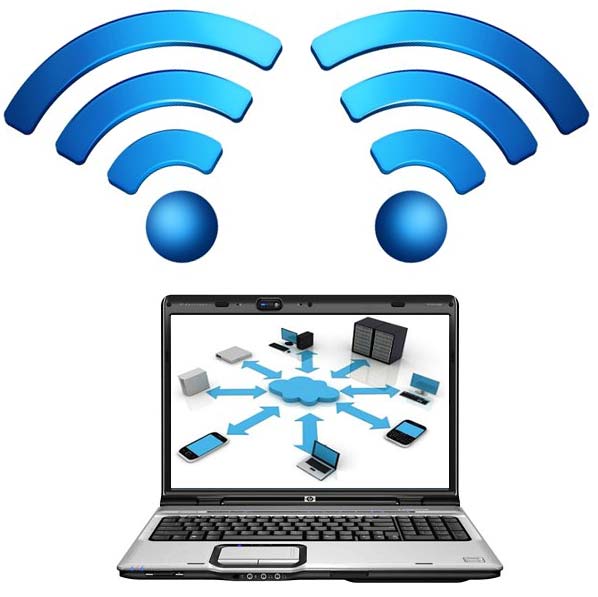
Common interference sources include microwave ovens, cordless phones, baby monitors, wireless security cameras, and other Bluetooth devices that share the 2.4 GHz band. Large electrical gear, transformers, or nearby power lines can add electromagnetic interference (EMI). These issues reduce Bluetooth range and shrink WiFi coverage. They can interrupt device-to-device or device-to-network connections.
Quick fixes you can try now:
- Move the device or router 3–6 feet (1–2 meters) away from the interference source. Even a small distance can improve signal strength and range.
- Switch WiFi to the 5 GHz band if your router and devices support it. Use 2.4 GHz when you need longer range through walls.
- Change your WiFi channel in the router settings to a less crowded channel to cut adjacent-channel interference.
- Keep Bluetooth devices and paired peripherals close. Typical Class 2 Bluetooth covers about 10 meters (~33 feet) in ideal conditions.
- Restart devices and update firmware on phones, routers, and peripherals. Consider a higher-quality router, a range extender, or a wired connection for critical devices.
When to call a pro: if signal issues persist after these steps, a technician can map coverage, check for EMI sources, or recommend upgraded equipment for stable connections at work or home.
Security note: interference is not the same as security risk. A VPN protects data on public WiFi, but it does not fix weak signals. For reliable streaming and online work at home, pick the right band (5 GHz for speed, 2.4 GHz for range), a good router, and the correct placement for your devices.
Bluetooth Vs WiFi Conclusion
| Category | Bluetooth | WiFi |
|---|---|---|
| Common purpose | Peripherals, audio, wearables, sensors | Networking + internet access |
| Typical setup | Direct pairing (no router) | Router/access point + clients |
| Common bands | 2.4 GHz ISM | 2.4 GHz / 5 GHz (and more depending on gear) |
| Range | Highly variable (“it depends”) | Often room/home/office coverage |
| Typical issue | Dropouts when moving away | Dead zones, congestion, poor placement |
Quick when-to-use guide:
- Use Bluetooth for short-range, low-power connections. Good examples: headphones, keyboards, mice, fitness trackers, and nearby sensors.
- Use WiFi for internet access, higher bandwidth, and many-device setups. Good examples: streaming video, large file transfer, cloud backups, and home office work.
Interference can often be fixed by moving devices a few feet away from sources of EMI. Outdoors, increase distance from heavy electrical equipment. If problems persist, try changing your WiFi channel or switching compatible devices to the 5 GHz band for speed. A better router or a range extender can also improve coverage and transfer rates.
Quick checklist:
- Need low-power local connections or audio on the go? Use Bluetooth and follow good pairing steps to save battery life and cut latency.
- Need streaming, fast transfers, or network access for multiple devices? Use WiFi (5 GHz for speed, 2.4 GHz for better range through walls).
- Seeing drops or weak signals? Restart devices, update firmware, change WiFi channels, or add a range extender or higher-quality router.
Final note: Bluetooth vs WiFi is a choice of trade-offs. Bluetooth wins on battery life, simplicity, and local device connections. WiFi wins on speed, bandwidth, and wider coverage for home or office networks. Pick the connection that matches your devices and the work you need to do. For more help, see guides on pairing and choosing the right network gear.

